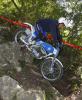
October 22, 200620 yr Hi: I own this Greeves bike, but the sprockets obviously are not correct as the bike is too fast in 1st gear. Somebody knows the correct sprockets? and maybe where to find them in the internet? It is really a pre-65 bike or not??????? Thank you
October 22, 200620 yr check out the headstock on the frame the frame no should be stamped there, the first or last two numbers are the year e.g. 59
October 24, 200620 yr I think its newer then 63 as they had finned brake drums, earlier models had a round barrel, 63 on had the square barrel but i'm going on memory of my greeves i had 25 years ago Dave
October 25, 200620 yr http://www.greeves-riders.org.uk/...The best site for Greeves information is the GRA...Greeves Riders Association (the above link)...Looks like a TES model fitted with a later Anglican fibreglass tank, yes it is a pre 65, maybe the gearbox got changed at some time over its 43yr life, should be a wide ratio box or maybe its just as you say, to high geared, or are you riding it to slow.... I hope Don Smith bless his soul, is looking down and smiling. Edited October 25, 200620 yr by ask greeves
October 25, 200620 yr Author Thank you all for the ifos, specially to Mr. Ask Greeves. That webb page have almost all I need. This weekend I will be in Barcelona racing the Cabrianes 2 days international classic trial, but next week will check all the info about my Greeves. Thanks again.
November 1, 200620 yr Hello Greeves sorry I missed your post but have a look in the p65 column at the James question asked by OTF I hope the information there is of some help. If you send me your frame number I may well be able to pinpoint the model/year etc.


Join the conversation
You can post now and register later. If you have an account, sign in now to post with your account.