February 2, 200719 yr Amal pancake air filter is the only one to use in my opinion. Centre hole type screws straight onto the inlet of your carb, offset type is fastened with a hose clip and requires a screw on bush (Amal part) on to the Amal carb. the adavantage with this is you can rotate the filter to best fit. Two types of filter element are available paper (chuck it when dirty) & washable gauze which requires spraying with a filter oil.
February 2, 200719 yr Prefer to use the "D" alloy one but throw the element away and fit a foam one. I have used a Fantic 240 foam cut to size supported by perforated mesh from a car bodyshop. Better flow cost less than Edited February 2, 200719 yr by Old trials fanatic
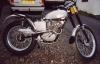
February 12, 200719 yr Hi Vinnied thanks for the e mail. Sorry i havent posted the piccys before but it's been a bit cold and i couldnt be rsed togo out in the shed. Well i'm honest anyway. Links below. Been used for twelve months now no problems and the motor revs out superb. Even Alan Whitton said the motor was very good along with everybody else who has ridden the bike. I used a Fantic 240 pro foam cut into a strip as 1. its under


Join the conversation
You can post now and register later. If you have an account, sign in now to post with your account.