Skip to content
View in the app

A better way to browse. Learn more.

Trials Central

A full-screen app on your home screen with push notifications, badges and more.

To install this app on iOS and iPadOS
  1. Tap the Share icon in Safari
  2. Scroll the menu and tap Add to Home Screen.
  3. Tap Add in the top-right corner.
To install this app on Android
  1. Tap the 3-dot menu (⋮) in the top-right corner of the browser.
  2. Tap Add to Home screen or Install app.
  3. Confirm by tapping Install.

Hello Again

Featured Replies

Dear All,

Although strictly speaking this is not my first post, I thought this was the best place to put this topic.

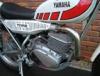
After a few years away from trials I got the urge to do a restoration of a twinshock, and as I used to have a TY175 back in the late 70's I thought a TY250 would be a good choice as I have a few extra lbs to lug around. I managed to pick up a reasonable rolling frame and engine in bits which turned out to be a matching numbers bike from 77 - 78 model year.

So after 8 months and

Join the conversation

You can post now and register later. If you have an account, sign in now to post with your account.

Guest
Reply to this topic...

Account

Navigation

Search

Search

Configure browser push notifications

Chrome (Android)
  1. Tap the lock icon next to the address bar.
  2. Tap Permissions → Notifications.
  3. Adjust your preference.
Chrome (Desktop)
  1. Click the padlock icon in the address bar.
  2. Select Site settings.
  3. Find Notifications and adjust your preference.