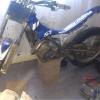
June 28, 201214 yr hi there i have just got my scorpa sy250 abought 2 weeks ago and i know very little about setting them up to me and i could do with some help like on the carb and how they should run and on the suspension set up thanks mike
June 29, 201214 yr here's a manual for 2008 model... http://www.trialssource.com/scorpa/sy250r/UsermanualSY-250R2008.pdf if there's any help...
July 5, 201214 yr Author hi there its a 03 bike and how do you set the suspension i about 64kg how do i set it up right
July 7, 201214 yr You probably need about 1/3 of the suspension movement taken up when you stand on the bike maybe a bit less. I softened the rear suspension on mine slightly ( after about 3 years of ownership, and realising I was probably lighter than the previous owner) seemed to find more grip and go up hills a bit better.
August 15, 201214 yr 'fraid not, I haven't felt the need to mess with the front fork. I too would like to know the answer. Check out the link to the users manual, don't expect that much has changed between the 2003 and 2008 models. If you look on P33 it has all the information you need, I'm off to play with the forks... Just found this on another thread:- "The '07 was the last year to have the Paoli fork". so maybe the manual won't be so useful, messing with the front fork is on hold. Edited August 15, 201214 yr by bigmike1961


Join the conversation
You can post now and register later. If you have an account, sign in now to post with your account.