

Skip to content
View in the app

A better way to browse. Learn more.

Trials Central

A full-screen app on your home screen with push notifications, badges and more.

To install this app on iOS and iPadOS
  1. Tap the Share icon in Safari
  2. Scroll the menu and tap Add to Home Screen.
  3. Tap Add in the top-right corner.
To install this app on Android
  1. Tap the 3-dot menu (⋮) in the top-right corner of the browser.
  2. Tap Add to Home screen or Install app.
  3. Confirm by tapping Install.

nnyerges

Members
  • Joined

  • Last visited

Everything posted by nnyerges

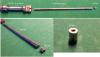
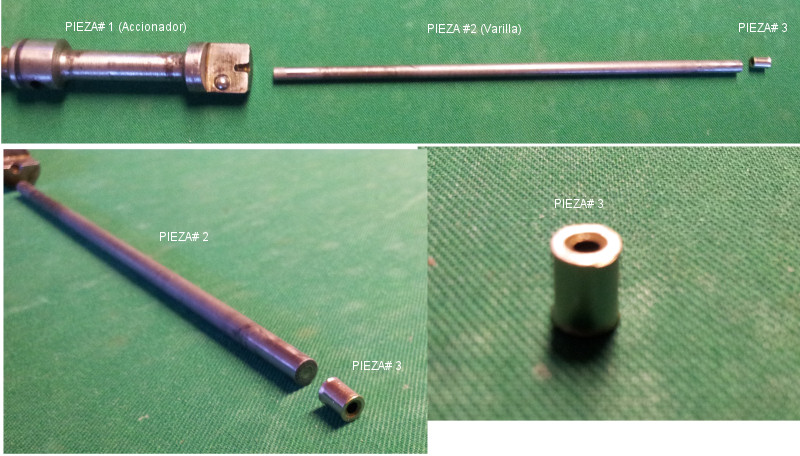
  1. Hello Anyone know the order of the parts of the lever / clutch rod? These are the 3 pieces we took. Apparently missing one or two of "steel balls" of 5.5 mm: The actuator (part # 1) has its own steel ball. The rod has to either side for a crevasse (depression) is supposed to fit (fit) a "ball of steel" in amabos sides, one side of the actuator (part # 1) and another by the side of the (part # 3) . In turn, the (item # 3) has a crevasse to fit another steel ball driving lengthening the wire pushing the adjusting screw. I have no pictures of the balls, as they do not get them or we are lost. The truth is that CANT PUSH THE ckutch rud, doesnt move anithing, does nothing. Its like inserting a rode in a death end. Please help
Account

Navigation

Search

Search

Configure browser push notifications

Chrome (Android)
  1. Tap the lock icon next to the address bar.
  2. Tap Permissions → Notifications.
  3. Adjust your preference.
Chrome (Desktop)
  1. Click the padlock icon in the address bar.
  2. Select Site settings.
  3. Find Notifications and adjust your preference.