

Skip to content
View in the app

A better way to browse. Learn more.

Trials Central

A full-screen app on your home screen with push notifications, badges and more.

To install this app on iOS and iPadOS
  1. Tap the Share icon in Safari
  2. Scroll the menu and tap Add to Home Screen.
  3. Tap Add in the top-right corner.
To install this app on Android
  1. Tap the 3-dot menu (⋮) in the top-right corner of the browser.
  2. Tap Add to Home screen or Install app.
  3. Confirm by tapping Install.

isitafox

Members
  • Joined

  • Last visited

Everything posted by isitafox

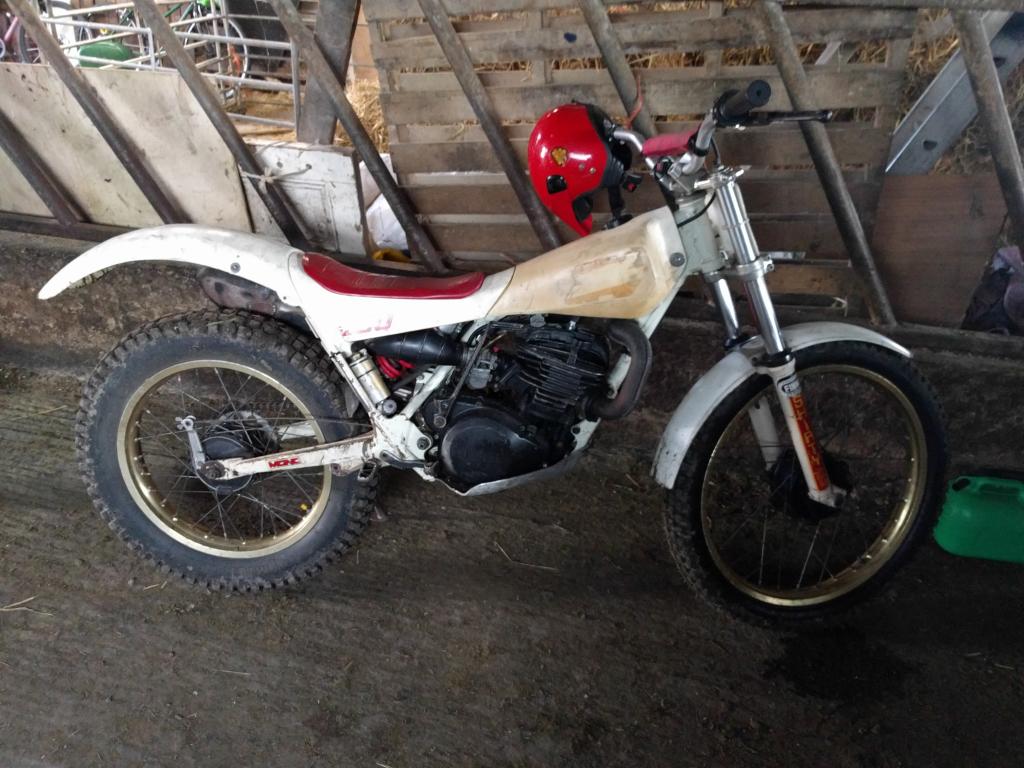
  1. Bit of a bump but thought I'd post a pic of our John Shirt 250 (at least I think it's one of his). We bought it about 18 or so years ago when I used to ride and recently a friend of my dad had been riding it in a few comps but he's had it stood in his garage for the last few months. Currently just using it to bod about our farm whilst my son rides his pw but the plan is to strip it down and tidy up over the winter!
Account

Navigation

Search

Search

Configure browser push notifications

Chrome (Android)
  1. Tap the lock icon next to the address bar.
  2. Tap Permissions → Notifications.
  3. Adjust your preference.
Chrome (Desktop)
  1. Click the padlock icon in the address bar.
  2. Select Site settings.
  3. Find Notifications and adjust your preference.