Skip to content
View in the app

A better way to browse. Learn more.

Trials Central

A full-screen app on your home screen with push notifications, badges and more.

To install this app on iOS and iPadOS
  1. Tap the Share icon in Safari
  2. Scroll the menu and tap Add to Home Screen.
  3. Tap Add in the top-right corner.
To install this app on Android
  1. Tap the 3-dot menu (⋮) in the top-right corner of the browser.
  2. Tap Add to Home screen or Install app.
  3. Confirm by tapping Install.

senojr73

Members
  • Joined

  • Last visited

Everything posted by senojr73

  1. senojr73 replied to senojr73's topic in Sherco
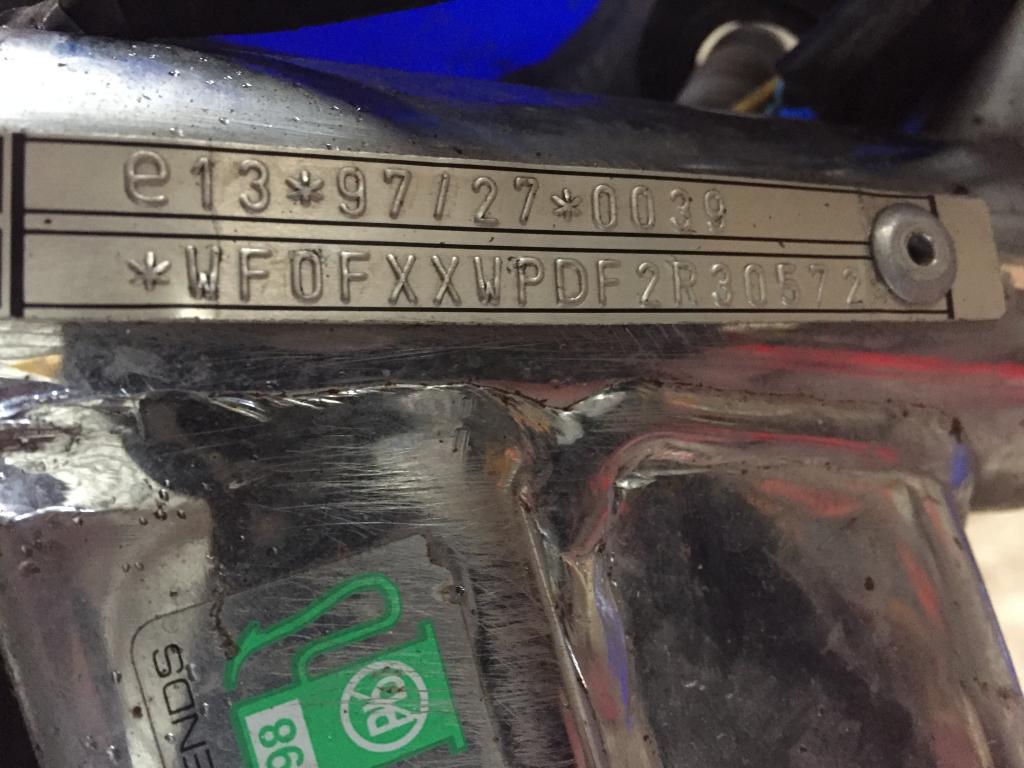
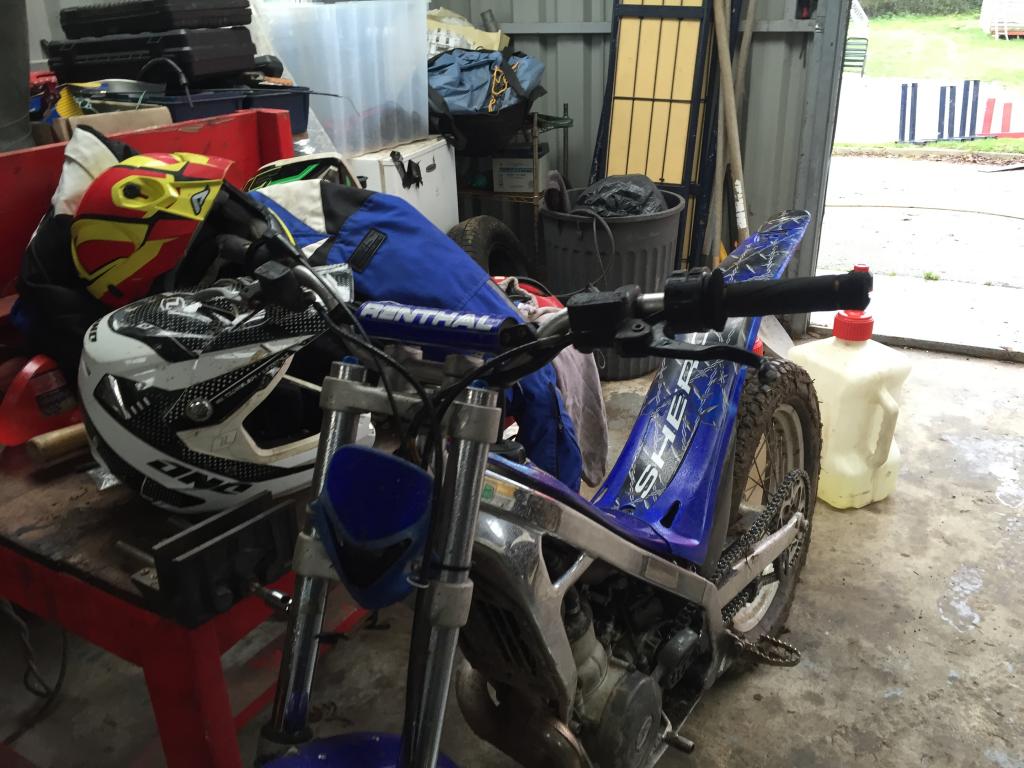
    Hello....thanks for info. I will take a look at the rear caliper and spokes and see. I might also take a few more pictures and stick them up to give a better view of the bike. On the vin number end, does the vin plate look right or should it be stamped on the frame?
  2. senojr73 posted a topic in Sherco
    Hello, We bought a Sherco bike a few weeks ago to play around with - this is the first trials bike that we have had. We need to get a few spare parts for it but we are having trouble tracking down the model and year based on the VIN number. It is coming up as WF0FXXWPDF2R30572 as per the attached pictures. Can anyone tell me how to decipher this VIN as I have searched the web and it doesn't look like the normal format Sherco use? Thanks.
Account

Navigation

Search

Search

Configure browser push notifications

Chrome (Android)
  1. Tap the lock icon next to the address bar.
  2. Tap Permissions → Notifications.
  3. Adjust your preference.
Chrome (Desktop)
  1. Click the padlock icon in the address bar.
  2. Select Site settings.
  3. Find Notifications and adjust your preference.