Skip to content
View in the app

A better way to browse. Learn more.

Trials Central

A full-screen app on your home screen with push notifications, badges and more.

To install this app on iOS and iPadOS
  1. Tap the Share icon in Safari
  2. Scroll the menu and tap Add to Home Screen.
  3. Tap Add in the top-right corner.
To install this app on Android
  1. Tap the 3-dot menu (⋮) in the top-right corner of the browser.
  2. Tap Add to Home screen or Install app.
  3. Confirm by tapping Install.

Ossa4fun

Members
  • Joined

  • Last visited

Everything posted by Ossa4fun

  1. I've just realised the mistake i made I meant no cable connected from the decompressor sorry all this is new to me so bare with me THANKS
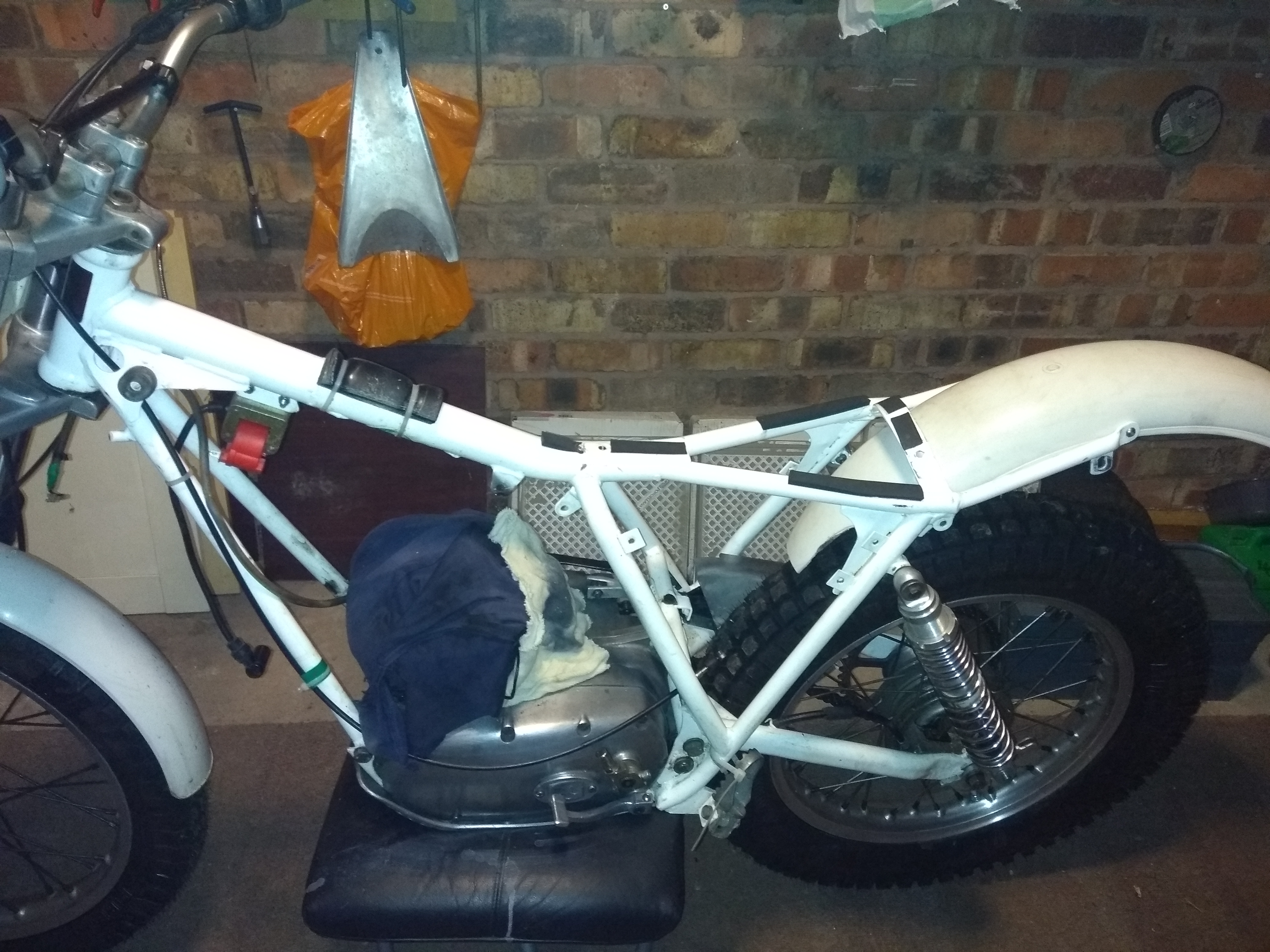
  2. Thanks not very good at typing no. The frame looks a little different from the TR 77 also has a reed valve but no cable connected just want to get it up and running and have some fun
  3. Thanks that's great ?
  4. Thanks not very good at typing no. The frame looks a little different from the TR 77 also has a reed valve but no cable connected just want to get it up and running and have some fun
  5. Hi New to trials central just bought an Ossa TR 77 so I was told ? Any help identifying the model would be appreciated

Account

Navigation

Search

Search

Configure browser push notifications

Chrome (Android)
  1. Tap the lock icon next to the address bar.
  2. Tap Permissions → Notifications.
  3. Adjust your preference.
Chrome (Desktop)
  1. Click the padlock icon in the address bar.
  2. Select Site settings.
  3. Find Notifications and adjust your preference.