Twinrider
Members
-
Joined
-
Last visited
-
Thanks for the help guys. I found a pic online and got it clipped back into place. Cheers.
-
Can't figure out how the retainer clips go back in doh. If anyone has a pic they can post, much appreciated.
-
My 2004 TYS125F has a single filament headlight bulb (no main beam) that's pretty dim. Does anyone know if there's a plug and play led replacement bulb? If anyone has done anything to make their headlight better, would love to hear it. Cheers.
-
Thanks for the feedback. What I'm also wondering is whether the larger diameter of the two will have a negative impact on lower end torque. No plans to change the stock silencer, it's pretty loud as is.
-
No cats for sure, they claim they increase performance.
-
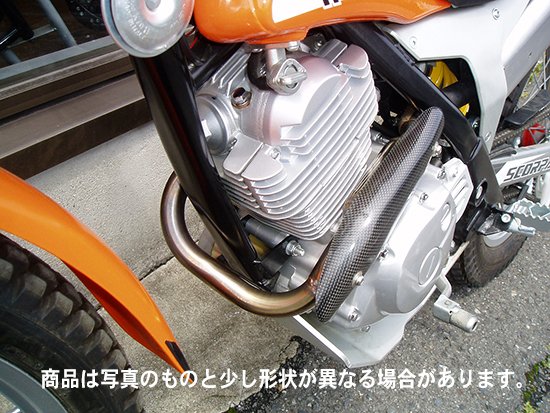
I just picked up a 2004 TYS125F. The bike is in great nick overall, but the header pipe is pretty rusty from sitting outside. I'd like to replace it with a titanium aftermarket pipe. There are several choices in Japan where I am. One has a bigger diameter overall and a small expansion chamber. The other seems to be a similar diameter to the stock header with a small expansion chamber. Any recommendations on which would have the most suitable power characteristics for this small motor? The use is slow speed cross-training and trail riding. Some road riding as well to connect trails. Cheers.

-
Hi, Just picked up a 2004 Scorpa TYS125F, which I plan to use to improve my offroad skills. This looks like the best website for info on the bike, so here I am. ? Cheers