

Skip to content
View in the app

A better way to browse. Learn more.

Trials Central

A full-screen app on your home screen with push notifications, badges and more.

To install this app on iOS and iPadOS
  1. Tap the Share icon in Safari
  2. Scroll the menu and tap Add to Home Screen.
  3. Tap Add in the top-right corner.
To install this app on Android
  1. Tap the 3-dot menu (⋮) in the top-right corner of the browser.
  2. Tap Add to Home screen or Install app.
  3. Confirm by tapping Install.

Devenc12

Members
  • Joined

  • Last visited

  1. Devenc12 posted a topic in OSSA
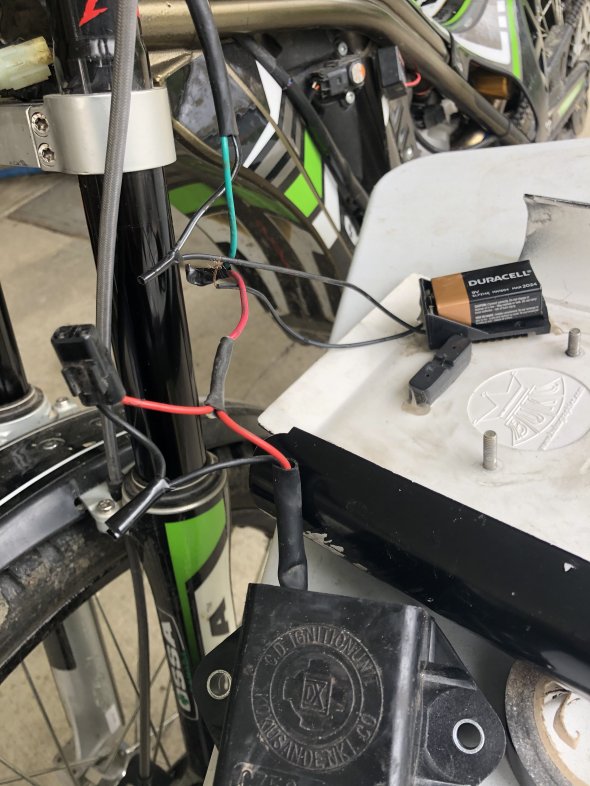
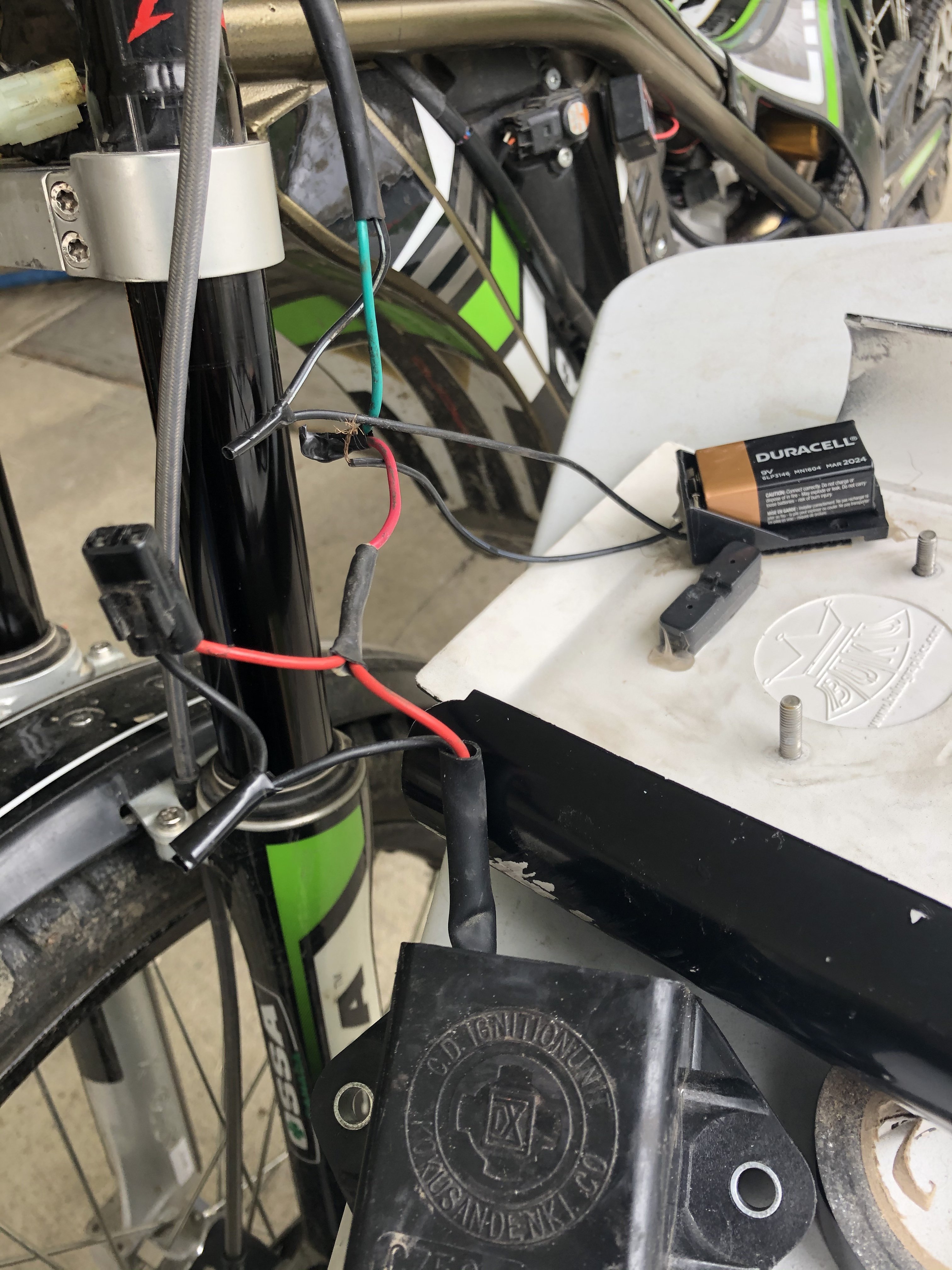
    Hey guys, I just recently got my first trials, a 2013 TR280i. The previous owner rigged up a start assist with a 9v battery and when I went to swap for a new battery a few of the wires came apart. I am clueless when it comes to electronics so I have no idea where to even start re wiring. I tried it a couple ways and has had no luck, and now the start assist isn’t working, nor is my fan turning on. If anybody could help me figure this out it would be much appreciated.
Account

Navigation

Search

Search

Configure browser push notifications

Chrome (Android)
  1. Tap the lock icon next to the address bar.
  2. Tap Permissions → Notifications.
  3. Adjust your preference.
Chrome (Desktop)
  1. Click the padlock icon in the address bar.
  2. Select Site settings.
  3. Find Notifications and adjust your preference.