DRIX
Members
-
Joined
-
Last visited
Everything posted by DRIX
-
Thanks for this; it's much appreciated and very helpful. Manual now ordered!! I will post a few pics as I progress...
-
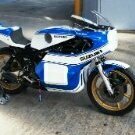
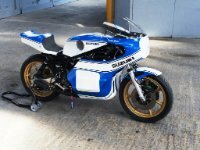
Hi all. I joined this forum recently as I have a 350 Sherpa 199 (red / silver / black) that I want to restore to use for a but of fun (i.e. not concours). I've gathered plenty of experience rebuilding / building bikes over the last 40 years or so, but do like to have a manual when I do an engine for things like wear limits on big ends / bore / crank runout / torque values etc., ohh, and a decent diagram or exploded view of the gearbox. The bike has had little use and is pretty much stock, bar the universal plastic guards. It was 'parked' in '93 because the clutch was slipping (and I was about to go work abroad) I stripped and boxed it. Having retired 3 years ago, and built a couple of classic race bikes (a 500 Drixton Honda and a TR750 Suzuki), the Bultaco is next on the list. So, the simple question is:- are the Haynes manuals for Sherpas, which seem to apply only up to '75, any good for the 199 engine? Or, where can I find specific info for a 199 engine? The rest of the bike is self-explanatory, and shouldn't be an issue to bring back to a nice usable condition. (I'll not ask the question on how best to restore a red plastic tank - seems that's a wonderful debate - but I would buy an alloy tank if any are available). Thanks in advance for any info or guidance, and apologies if this query is repetitive or indeed, boring to all you seasoned trials guys.