

Skip to content
View in the app

A better way to browse. Learn more.

Trials Central

A full-screen app on your home screen with push notifications, badges and more.

To install this app on iOS and iPadOS
  1. Tap the Share icon in Safari
  2. Scroll the menu and tap Add to Home Screen.
  3. Tap Add in the top-right corner.
To install this app on Android
  1. Tap the 3-dot menu (⋮) in the top-right corner of the browser.
  2. Tap Add to Home screen or Install app.
  3. Confirm by tapping Install.

oldtlsdoug

Members
  • Joined

  • Last visited

Everything posted by oldtlsdoug

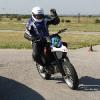
  1. I am going to be working on a friends Beta Rev 3 270 and he is letting me play with it for a while for my trouble. Secretly he is hoping to addict me to trials riding so I will buy the Beta. Doesn't take much to push me over the edge with a bike. That said, I am a 50 yr old fat guy, I do a lot of track time. Currently I am playing with my Husky SM610 and I love it. Hope to have the Beta to play with this weekend, we shall see. I bet I end up owning the dang thing, I hope my marriage will survive it all. My little shop Riding the Husky a couple of weeks ago I would be the good looking fat guy on the right.

Account

Navigation

Search

Search

Configure browser push notifications

Chrome (Android)
  1. Tap the lock icon next to the address bar.
  2. Tap Permissions → Notifications.
  3. Adjust your preference.
Chrome (Desktop)
  1. Click the padlock icon in the address bar.
  2. Select Site settings.
  3. Find Notifications and adjust your preference.