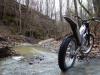
December 30, 200718 yr Here's a few pics of a newly "FOUND" spot near Birmingham AL , these pics are the first time it has EVER been ridden ! The pictures DO NOT do it justice, all hillclimbs and off cambers are A LOT steeper than they appear . A great day of riding was had by all !! ( I just wish we had caught my "SUPERFLOATER" get-off !! ) chad
December 31, 200718 yr Looks like a good find. Is it large enough to stage an event? You've got more rocks in those pictures than we have in 50 miles of Birmingham UK
December 31, 200718 yr Oooops that would be Alabama I will get my coat, tries to cover up embarassment by saying HAPPY NEW YEAR.
December 31, 200718 yr Author I was goig to SPELL it out , because we had the same confusion the last time i posted pics. I am glad i decided not to , its more fun this way !!! HAPPY NEW YEAR TO ALL !!


Join the conversation
You can post now and register later. If you have an account, sign in now to post with your account.