Skip to content
View in the app

A better way to browse. Learn more.

Trials Central

A full-screen app on your home screen with push notifications, badges and more.

To install this app on iOS and iPadOS
  1. Tap the Share icon in Safari
  2. Scroll the menu and tap Add to Home Screen.
  3. Tap Add in the top-right corner.
To install this app on Android
  1. Tap the 3-dot menu (⋮) in the top-right corner of the browser.
  2. Tap Add to Home screen or Install app.
  3. Confirm by tapping Install.

Yet Another N00b

Featured Replies

Allow me to dive head long into the fray.

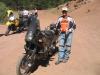
My name is Marc and I live in Westminster Colorado. After riding dirt bikes and street bike for 47 years, FINALLY just got my first Trials bike. I picked up a nice 1997 Beta Techno from my local Beta dealer and am looking forward to the huge learning experience that now lays in front of me.

I promise not to start and Oil or tire threads and behave myself in a proper manner. Well OK that might be hard as I am also an ADVRider. :rotfl:

I shall begin the search on this forum to start my learning and then start in with all the silly questions required from a n00b.

Cheers.

Marc

Welcome, you should be able to hook up with some good riding buddies up there too!

Relax and have fun! :rotfl:

Join the conversation

You can post now and register later. If you have an account, sign in now to post with your account.

Guest
Reply to this topic...

Account

Navigation

Search

Search

Configure browser push notifications

Chrome (Android)
  1. Tap the lock icon next to the address bar.
  2. Tap Permissions → Notifications.
  3. Adjust your preference.
Chrome (Desktop)
  1. Click the padlock icon in the address bar.
  2. Select Site settings.
  3. Find Notifications and adjust your preference.