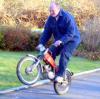
December 31, 200421 yr Yesterday I found this 10M survivor in Vancouver, BC. The little rascall is 99.5% complete and all original. The only thing I can find missing is the tail light lense. I couldn't wait to fiddle (fettle) with it today, so I drained the old gas, put new gas in, took the carb off and apart, cleaned it, and guess what? It runs! The lights and horn work too! All the chrome needs to be redone, but miraculously the fenders and all the rubber is excellent including the original Pirellis. Edited January 2, 201016 yr by vintageCota
January 3, 200521 yr Author Thanks for the good info, B.J. I'm looking forward to your book. And I thought my 123 was an overachiever!
January 11, 200521 yr Author Here's another one in "Jolly Olde". http://cgi.ebay.com/ws/eBayISAPI.dll?ViewI...7947182663&rd=1
January 19, 200521 yr Lovely little bike and what a bargain. I saw this on ebay today thought you may be interested. http://cgi.ebay.co.uk/ws/eBayISAPI.dll?Vie...7948354384&rd=1 "THIS IS A GREAT READ ON THE LITTLE MONTESA OF THE EARLY 70'S AND PORTRAYS THE MONTESA COTA 25 AUTOMATIC MODELS TO THE FULL. IT IS A PHOTO COPY FROM MOTER CYCLE MAGAZINE MARCH 1967, IT HAS 3 PAGES OF INFORMATION AND SPECIFICATIONS ON THIS FANTASTIC LITTLE MODEL. A MUST FOR ANY COLLECTOR OF THESE LITTLE MONTESA'S" And no it's not me that's selling it (this time!)
January 19, 200521 yr Just found this aswell http://cgi.ebay.co.uk/ws/eBayISAPI.dll?Vie...7948966265&rd=1


Join the conversation
You can post now and register later. If you have an account, sign in now to post with your account.