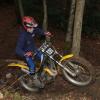
March 20, 201214 yr Hi my name is Danny. I used to use this forum a few years back when I first started trials, but I forgot what email and password I used, so I decided to make a new one. I'm from Worthing, West-Sussex and ride with Worthing Trials Club and sometimes other clubs too. I also ride Cycle Trials, I ride in some British Championship rounds and local trials clubs too. Just started my 5th year of riding now, and ride a Gas Gas 125. Currently saving for a 250 Sherco 2012
March 20, 201214 yr Author What year the gasser i might be intrested 2005. It's not mine to sell though. My mum bought it to have a go on, but then I grew out of my 70 pretty much as soon as she bought it. I had a go on it and loved it and I ride it ever since. So basically I can't sell it :/ So yeah, I just gotta save from scratch. Got a long way to go!


Join the conversation
You can post now and register later. If you have an account, sign in now to post with your account.