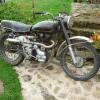
October 11, 201214 yr Hi All Just found this web site and hopefully will be a helping for me. Lost in cental France and enjoying the country life. Hopefully on Monday morn im off to the south of France to pick up a 1970 Montesa cota 242 . So will be in need of input of the rights and wrongs with my new toy. Currently have an old Enfield ..see profile pic, needs too much doing to it for the lanes around here, gearing too high and wheels too big ..list goes on. My other bikes are Triumph chops and a Triumph Drag/sprint bike. so my first little two stroke !!! Will post info soon cheers Steve
October 11, 201214 yr Welcome to the forums Steve. Please post photos of your Montesa when you get it. If it is from 1970 it will be a 247. If it is a 242 it will be 1984-86.
October 11, 201214 yr Author cheers for that, learnet something already, its not road registered . Its not a 70,s one then , ive looked up at some photos and its a 242 for sure. Only way will be by the chasssis number to tell what year i supose?
October 16, 201214 yr Author Hi Have picked up the Cota yesterday, How do i attatch the pics to this msg? or am i having a blonde mnoment??


Join the conversation
You can post now and register later. If you have an account, sign in now to post with your account.