May 13, 201313 yr May 18&19, 2013 ITSA Mountain Wests rounds 2&3. Turkey Rock, Howard Co. all air cooled twin shock classes, new air cooled single shock class. modern support class. Sat nite, 2012 plates givin out, BBQ, bring a dish to share, Bike rodeo, 2 New Dunlop 803s to be raffled off on Sunday..tickets for the tires are 10.00 each, 3 for 20.00, money goes to help pay for next years plates. free stuff to be givin away. thanks to Apex Sports, Pro Motorsports, Vintage Motoworks, and Warpath Vintage. primitive camping on site, motels available in Salida, if you havnt had the chance to ride at Turkey Rock its a must for any trials rider. classes from Novice to expert. SPARK ARRESTORS are needed. for info check the ITSA web page, or call 720-841-1399 or email molinenorski@msn.com Trials masters at this event are Chuck Moline, Roy Moline, Tom {Wolffy} Maddux. hope to see you,,,TRIAL UP.
May 13, 201313 yr Author bike rodeo should be fun...wonder how these ol riders will look in a granny dress and a purse?
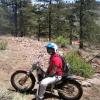
May 13, 201313 yr Author update. Mike Shay has agreed to host a trials school for an hour on Sat afternoon...Mikes the guy on the SWM in the picture. thankyou Mike...


Join the conversation
You can post now and register later. If you have an account, sign in now to post with your account.