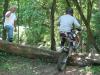
September 23, 201412 yr My wife Lorraine took photos of the competitors at the 30th Annual Stoney Lonesome Trials Event held in sunny Columbus, Indiana this September. Her batteries gave out on her flash so some are dark. Anyone wishing the Raw Nikon images just let me know. Stoney Lonesome 2014 Photos by Lorraine Celis
September 23, 201412 yr Found Myself! Gawd,I was riding bad the first loop,shoulda brought my Fantic,needed better clutch action and more Zip! Adapted to what the SWM was doing wrong midway through the second loop and changed my attitude :-) Thank her for the pics,we really appreciate it ! BTW,Here's Liz's writeup--http://www.advrider.com/forums/showthread.php?s=b3bd36124fc3933a1a325471de95f41d&t=1011796


Join the conversation
You can post now and register later. If you have an account, sign in now to post with your account.