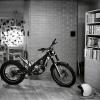
January 6, 201610 yr Hi all, Just popped in since got into trials just this year. From dual-sport and big trailie background and I always wanted a trials bike for many years in row till recently I saw an Ossa TR280i 100th Scottish Six Days Trials model - I was blown away and man I was in love! Function and beauty match made in heaven. There was simply no way out from finally getting a trials bike since then and it preferrably had to be an Ossa TR-series. Just loved how these awesome bikes are built with a fresh engineering approach. I've always had a soft spot for radical design ideas, so there's was bit expexted ownership love and passion involved in the final decision too I guess. So got myself an 2013 Ossa TR280i and love it to bits, first rides I made in -15C weather, can't wait the snow to melt away... Cheers all, Margus


Join the conversation
You can post now and register later. If you have an account, sign in now to post with your account.