September 16, 20188 yr Has anybody tried fitting one of these ?? Just ran out of fuel miles from anywhere lol had given away my spare litre on my back. Had a the tank on my old Montesa but lack fuel cap breather on 2017 250 ice hell made me just give it away when I sold monty ?
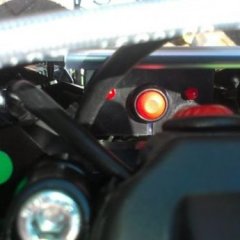
September 17, 20188 yr You can fit the Hebo 1L fuel tank on the headstock to a Vertigo with a few mods. You will probably need to re-locate the map switch and LED to somewhere else to fit the tank. Block the Vertigo fuel cap breather and make a new tank top breather bush from a short 12mm M8 hex head bolt, turned flat on top, centre drill then drill out to 4.20mm and thread M5 through the bolt centre. Get a GG or Ossa gearbox elbow and thread the end of this M5 and screw into the M8 "bush" with PTFE tape. There is a handy spot to drill and thread the top of the Vertigo fuel tank to take the M8 bush, we have a drawing somewhere to show this but you should be able to find a good spot. Run a decent petrol proof breather hose from the new vent to the Hebo tank outlet. The Hebo tank has a breather itself. When you are not using the Hebo tank, fit a ball check valve to the breather hose end to allow air to enter the tank. A very good friend worked this out initially. Bye, Peter B.
September 20, 20188 yr Just have an elbow installed in the fuel cap , retro fitted the map switch and leds into the bar pad . Fairly simple in all . My only disappointment in Vertigo is the fuel economy , with the small tank and injection it’s always the first bike to run out of fuel
September 20, 20188 yr Author 6 hours ago, sprinter 27 said: Just have an elbow installed in the fuel cap , retro fitted the map switch and leds into the bar pad . Fairly simple in all . My only disappointment in Vertigo is the fuel economy , with the small tank and injection it’s always the first bike to run out of fuel Do you have a picture of said elbow?? Have been playing with ideas with diff things around garage and came to idea there was no room under fuel flap ??
January 21, 20197 yr Found you, got some pics of the latest development ? 3D printed adapter for expended fuel tank ?? Cheers mate
January 22, 20197 yr Author Hi all , since last set up have had a new and improved version more secure and safe , Reece Talbot is the man responsible for 3D printing an insert ,which fits into the inside of petrol cap which the extra 8mm fuel pipe goes through a filed out 7mm hole on cap to the inside, then pushed through the insert and the insert is then pushed into the inside of of the cap . Make sense lol ?? pics to follow with pipe attached pics shown are Reece’s
January 22, 20197 yr Author done in the dark but should be able to make it out .next plan is to re-route the green pipe down through air box .
March 19, 20224 yr Just bought a 2022 vertigo 300 and would like to install an aux tank. I like this 3d printed piece you guys came up with. How do I get the file so I can print one out? Or would someone here print one for me? On 1/21/2019 at 11:53 PM, Reece Talbot said: Cheers mate


Join the conversation
You can post now and register later. If you have an account, sign in now to post with your account.