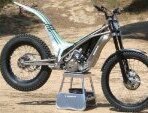
May 7, 20233 yr Hi, just joined site and hoping to get some help putting a tr280i back in the mud. I absolutely love the bike and the engineering, but spares are proving elusive! I need a gear selector shaft for a 2011 as when taken apart the posts that holds the rollers that goes in the selector drum on one side has snapped off! Any help pointing me towards a new shaft will be much appreciated thanks guys Pete
May 7, 20233 yr Hi there , Nigel Birkett at Birkettmotosport . He was the importer and May still have spares - a very helpful guy , he’ll be a bit tired this week coming - he just finished the SSDT 69 years young 👍
May 8, 20233 yr Hi Pete, I have a new selector shaft if Nigel can't help. I've just purchased an ex-Ossa dealers stock as I have 3 TR280's to rebuild, but I'm sure I don't need everything I now have!
May 11, 20233 yr Author Thanks guys. Nigel came up trumps but thanks for help. Hopefully rebuild and refresh will go smoothly how. These are amazing bikes and deserve to be saved. Any other tips you have how to improve etc much welcomed 👍


Join the conversation
You can post now and register later. If you have an account, sign in now to post with your account.