

Skip to content
View in the app

A better way to browse. Learn more.

Trials Central

A full-screen app on your home screen with push notifications, badges and more.

To install this app on iOS and iPadOS
  1. Tap the Share icon in Safari
  2. Scroll the menu and tap Add to Home Screen.
  3. Tap Add in the top-right corner.
To install this app on Android
  1. Tap the 3-dot menu (⋮) in the top-right corner of the browser.
  2. Tap Add to Home screen or Install app.
  3. Confirm by tapping Install.

bpilgrim

Members
  • Joined

  • Last visited

About Me

Hi,

I'm a student at The University of Liverpool studying Aerospace Engineering. Unlike most on my course, I believe practical knowledge is essential, so 2 years ago I bought a 1971 Land Rover Series 2a which has taught me a lot. Mainly because it was my first car, which as you would expect, was not driven as a classic car should be, and I therefore broke many things, which I had to fix myself. For example, the time the rear diff ate a good two inches of a half shaft because I was drifting it in the snow, after watching Tiff Needell's powerslide tutorials on youtube...

I used to race in motocross and enduro, so I recently thought why not combine the two interests:

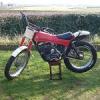
classic land rover + modern motocross bike = Montesa Cota 348.. of course!

Over & out.

Account

Navigation

Search

Search

Configure browser push notifications

Chrome (Android)
  1. Tap the lock icon next to the address bar.
  2. Tap Permissions → Notifications.
  3. Adjust your preference.
Chrome (Desktop)
  1. Click the padlock icon in the address bar.
  2. Select Site settings.
  3. Find Notifications and adjust your preference.