Skip to content
View in the app

A better way to browse. Learn more.

Trials Central

A full-screen app on your home screen with push notifications, badges and more.

To install this app on iOS and iPadOS
  1. Tap the Share icon in Safari
  2. Scroll the menu and tap Add to Home Screen.
  3. Tap Add in the top-right corner.
To install this app on Android
  1. Tap the 3-dot menu (⋮) in the top-right corner of the browser.
  2. Tap Add to Home screen or Install app.
  3. Confirm by tapping Install.

slimjim

Members
  • Joined

  • Last visited

  1. Thanks guys!
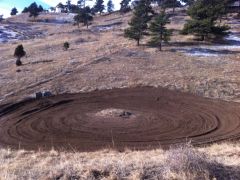
  2. I've got a tractor tire coming on Fri and there's a quarry a couple miles down the road for giant boulders.
  3. slimjim commented on slimjim's gallery image in TC Members Events Photos
  4. slimjim commented on slimjim's gallery image in TC Members Events Photos
  5. slimjim commented on slimjim's gallery image in TC Members Events Photos
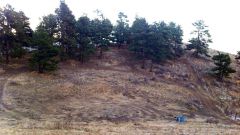
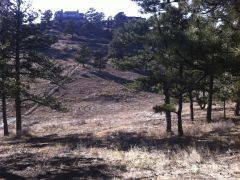
  6. Hello all, I'm a 41 yr. old trials newb that just picked up a 2005 Montesa 4RT Repsol. I'm coming from a couple years of trail riding in AZ and CO. My house is on a 10 acre lot that I am beginning to add obstacles to. If anybody in the area wants to assist in building the track (and ride of course), let me now! I don't work so I plan on being on the bike a lot - even this winter. In the meantime I will be practicing my ass off (day/night/snow/whatever)! James

Account

Navigation

Search

Search

Configure browser push notifications

Chrome (Android)
  1. Tap the lock icon next to the address bar.
  2. Tap Permissions → Notifications.
  3. Adjust your preference.
Chrome (Desktop)
  1. Click the padlock icon in the address bar.
  2. Select Site settings.
  3. Find Notifications and adjust your preference.