fasteddy
Members
-
Joined
-
Last visited
-
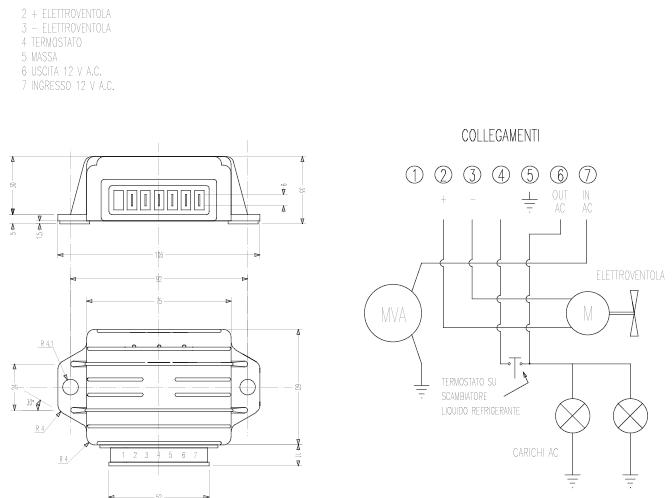
I was able to contact the Italian manufacturer of the Regulator (http://www.idm-srl.it/motorcycles.asp) They sent me a schematic of the regulator, thought I would share with all in case someone else can use the info. Ed..
-
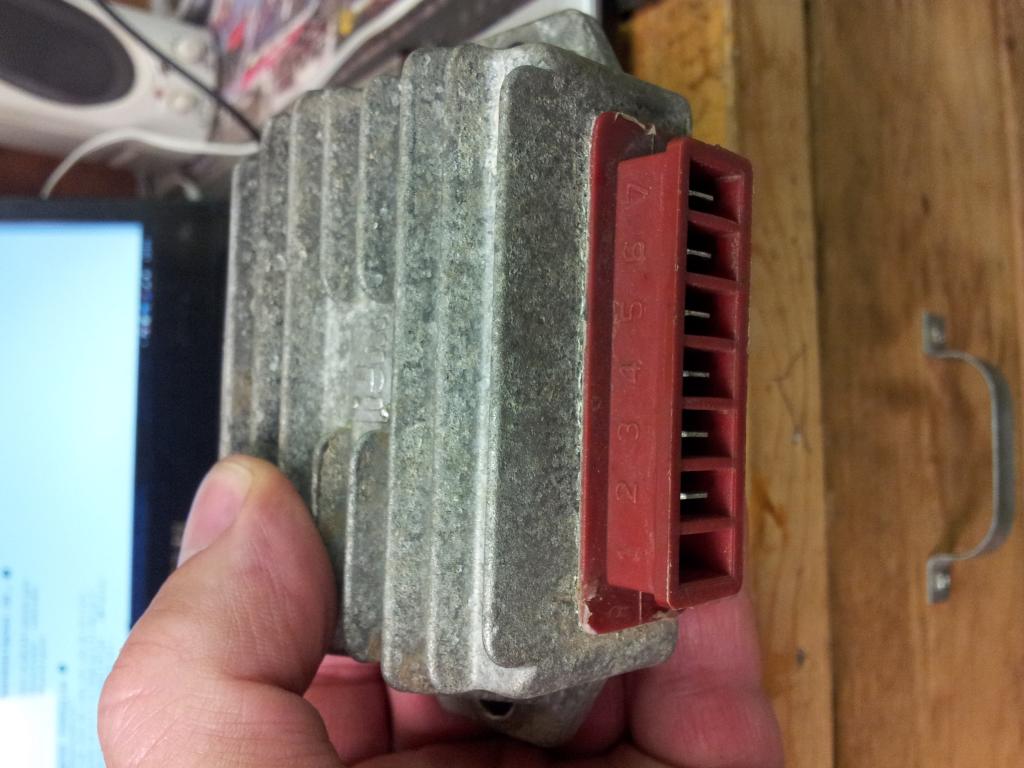
I've found the rectifier/regulator for the bike, no wires are connected to it and I have no idea what connector is the input, there are 6 connections, numbered 2 to 7, #1 has no connector, I do not want to try trial and error for fear of damaging the unit, would anyone have any insight on this. Thanks Ed..
-
Thanks Glenn, Seems I'm missing a voltage regulator, I'm trying to find power for the rad fan, I know there is power as I got a shock from the bolt on the lighting switch. Some of the stock wiring is missing for sure. Ed.
-
Thanks, Sourced the fork guards, and have the clutch working, need a wiring diagram badly, Thanks again.. Ed..
-
I've just picked up a 94 K-Roo, I need to add fluid to the clutch and then bleed the system, before dismantling the cases I was wondering if anyone has a manual or some insight to bleeding the system that they could share. I'm also in need of a set of fork protectors which is also a support for the front fender. Any leads on that would be appreciated. Thanks Ed..