berridale
Members
-
Joined
-
Last visited
Everything posted by berridale
-
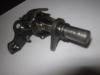
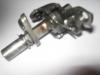
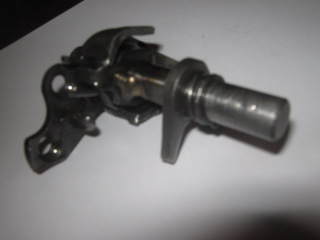
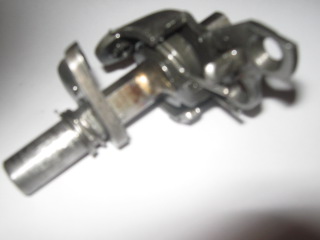
The problem is with the triangular shaped fork on the shaft , the remainder of the shaft goes through the sidecover and the gear lever clamps onto it . The fork has two flats which match the flats on the shaft , with time it wears and gets sloppy so the selection becomes vague because the fork moves away from the selector wheel when changing gears. Both engines i have are worn in the same fashion, so i wonder what others do? Welding can be undone, it only needs to be tacked.
-
Hi, have gear selection problems on the little Montesa 49, anyone worked out a fix? There is a selector fork in the clutch side cover area, this works on something like a selector wheel which pulls the selector mechanism inside the cases. The little selctor fork sits on a shaft located by a circlip , poorly located. It is not a tight fit , previous owner put a spring on the cover side . I had a spare selector assembly but it is not much better , the gearbox is good so it is the mechanism. *Wondered why Montesa didn't weld it to the shaft would have been a solution? Appears the slackfit allows the fork to ride over the detents on the selector wheel? Anyone been down this path? As you can see in the pics there is a spring added on the fork end, rather than a circlip by Montesa.. Regards Cas