

Skip to content
View in the app

A better way to browse. Learn more.

Trials Central

A full-screen app on your home screen with push notifications, badges and more.

To install this app on iOS and iPadOS
  1. Tap the Share icon in Safari
  2. Scroll the menu and tap Add to Home Screen.
  3. Tap Add in the top-right corner.
To install this app on Android
  1. Tap the 3-dot menu (⋮) in the top-right corner of the browser.
  2. Tap Add to Home screen or Install app.
  3. Confirm by tapping Install.

azkarl

Members
  • Joined

  • Last visited

About Me

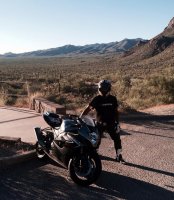
I'm leaving in 8 hours to complete the purchase of my first Bultaco, a dream I've had since my teens. Then it was a Pursang, but my bones are too brittle now (actually too many broken from multiple Ducati and Suzuki sport bike crashes).  I hope to get an Alpina, as I have a need for a dual sport Bultaco as well as a trials bike. Thanks for adding me, the valuable advice already given on my first day here, and the collective wisdom waiting to be imparted to me by the very experienced gentlemen here.

Account

Navigation

Search

Search

Configure browser push notifications

Chrome (Android)
  1. Tap the lock icon next to the address bar.
  2. Tap Permissions → Notifications.
  3. Adjust your preference.
Chrome (Desktop)
  1. Click the padlock icon in the address bar.
  2. Select Site settings.
  3. Find Notifications and adjust your preference.