

Skip to content
View in the app

A better way to browse. Learn more.

Trials Central

A full-screen app on your home screen with push notifications, badges and more.

To install this app on iOS and iPadOS
  1. Tap the Share icon in Safari
  2. Scroll the menu and tap Add to Home Screen.
  3. Tap Add in the top-right corner.
To install this app on Android
  1. Tap the 3-dot menu (⋮) in the top-right corner of the browser.
  2. Tap Add to Home screen or Install app.
  3. Confirm by tapping Install.

buretto

Members
  • Joined

  • Last visited

Everything posted by buretto

  1. buretto replied to craigrushton's topic in OSSA
    Sorry, tried all this above
  2. buretto replied to craigrushton's topic in OSSA
    I still cant get mine to connect after trying all of the above. Any other ideas? Using factory cable with a usb to serial adapter which the local mechanic uses.
  3. buretto replied to tsiklonaut's topic in OSSA
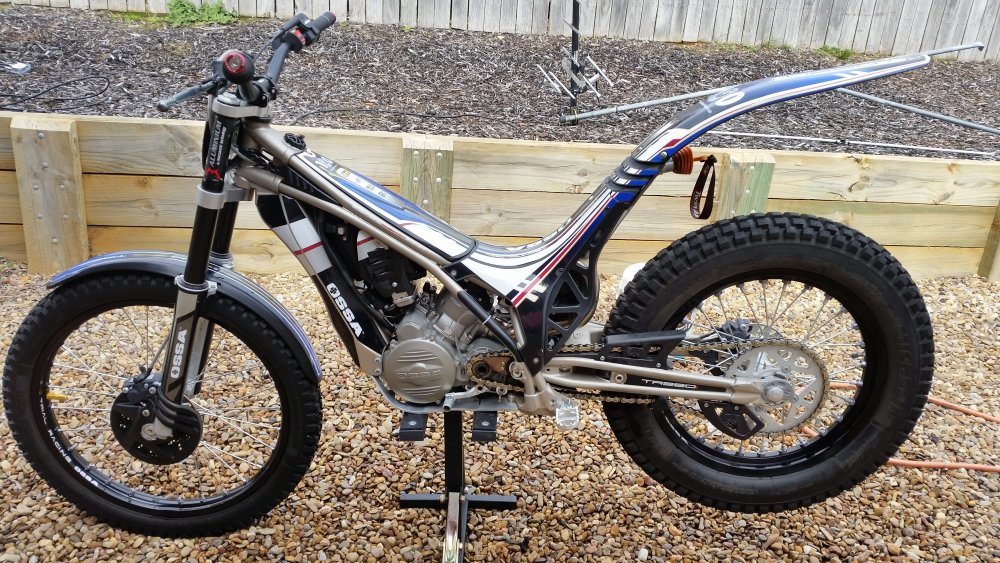
    Hi, this is my first post here so here goes. This is my 2011 TR280i Scottish 6 Day limited edition. Loving the bike but not running right atm Think its TPS related. Hoping to sort it out very soon so i can ride. There are some very nice bikes in here. Hoping to learn a lot from you guys.
Account

Navigation

Search

Search

Configure browser push notifications

Chrome (Android)
  1. Tap the lock icon next to the address bar.
  2. Tap Permissions → Notifications.
  3. Adjust your preference.
Chrome (Desktop)
  1. Click the padlock icon in the address bar.
  2. Select Site settings.
  3. Find Notifications and adjust your preference.
