6bt
Members
-
Joined
-
Last visited
Everything posted by 6bt
-
Thanks for the info guys. I went to the tryals shop last weekend and met Mike. What a great helpful guy. Showed me his fantic parts manuals and spare parts, plus answered all my questions. I feel a lot better about it. I did notice my triple clamp was cracked, but found a replacement on eBay. How lean can you run these? Mine runs fairly rich. I'm used to jetting motocross bikes. I'd like to make mine run crisp, as I can get front wheel up, but it just blubbers past 1/3 throttle. Is it safe to jet it so it runs crisp through the whole rpm range without loading up, or is that too lean?
-
Ahh thanks guys. Was this the biggest cc fantic of the era or did they make bigger ones? What's general opinion on fantic?
-
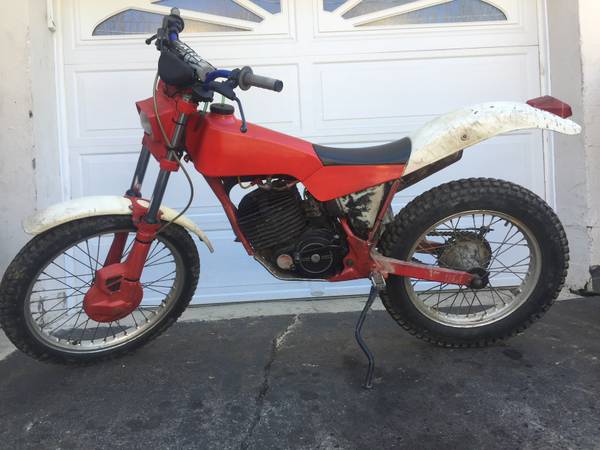
This popped up on craigslist, and was cheap enough for me to run and grab it. "403" fantic. Monoshock, disc front, drum rear. Engine cases say 247 cm3, so I'm guessing it's a 250. Lights work, seems to run well, but could use a reset...I'd like it to be more crisp off idle. What do you guys think?
-
Hi all, long time motorcycle enthusist, first time trials owner. After years of eyeing trials bikes, a fantic popped up on craigslist with an irresistible price. The rest is history. I look forward to learning more.