

Skip to content
View in the app

A better way to browse. Learn more.

Trials Central

A full-screen app on your home screen with push notifications, badges and more.

To install this app on iOS and iPadOS
  1. Tap the Share icon in Safari
  2. Scroll the menu and tap Add to Home Screen.
  3. Tap Add in the top-right corner.
To install this app on Android
  1. Tap the 3-dot menu (⋮) in the top-right corner of the browser.
  2. Tap Add to Home screen or Install app.
  3. Confirm by tapping Install.

jeffk

Members
  • Joined

  • Last visited

Everything posted by jeffk

  1. jeffk replied to jeffk's topic in Twinshock
    Thanks for taking the time to take the photos. I appreciate it! I can now see where they go. Jeff
  2. jeffk replied to jeffk's topic in Twinshock
    Hi, thanks for the reply. no mine is what I would guess is the later version.
  3. jeffk posted a topic in Twinshock
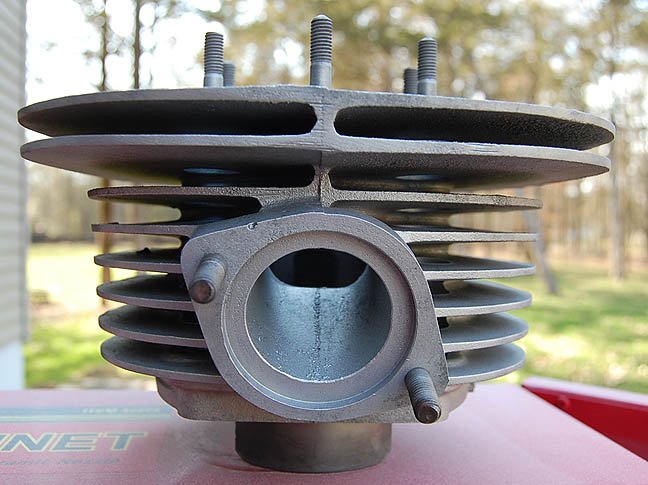
    Anyone know the factory position of the cylinder rubber pieces on a 1974 ty 250? I should have taken a photo 3 years ago but did not. I've seen at least 3 different photos. Not a big deal but as a restoration I would like to make it factory correct. thanks.
  4. jeffk replied to jeffk's topic in Yamaha
    Ah ha! thanks for the reply brother!
  5. Can anyone tell me where the wiring harness boot is positioned on a 74' TY 250? I do not remember but it looks like it would be best with the big side inserted into the frame right under the fuel tank to protect the wiring. Anywhere else does not make sense. Thanks

Account

Navigation

Search

Search

Configure browser push notifications

Chrome (Android)
  1. Tap the lock icon next to the address bar.
  2. Tap Permissions → Notifications.
  3. Adjust your preference.
Chrome (Desktop)
  1. Click the padlock icon in the address bar.
  2. Select Site settings.
  3. Find Notifications and adjust your preference.