John_R
Members
-
Joined
-
Last visited
-
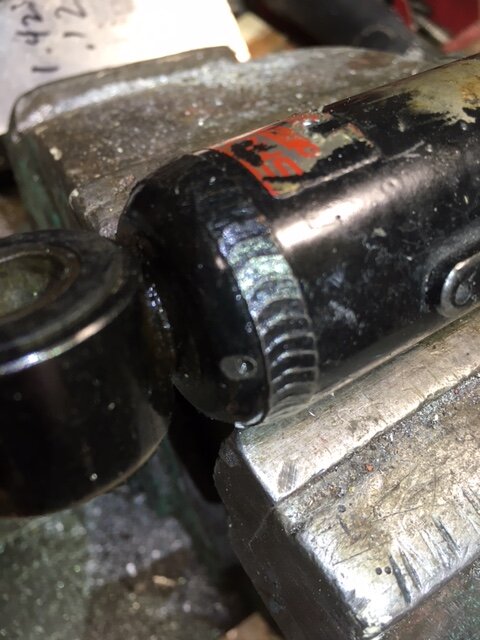
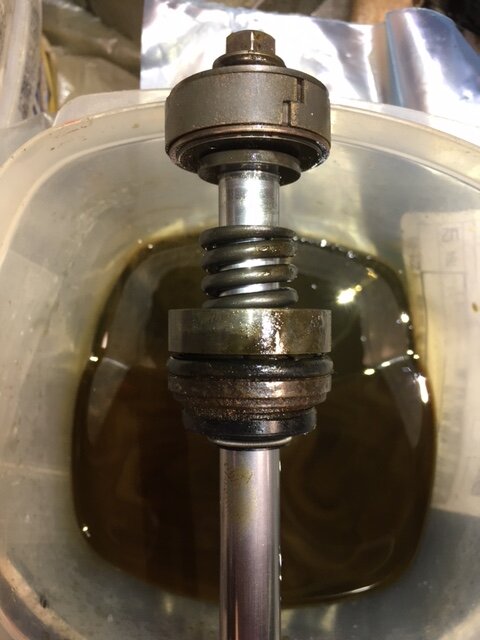
Hi all, just saw this 4yr old post RE rebuilding the KR9 Showas and find myself in exactly the same circumstance. Mine were seeming not bad until removing the springs showed that the last 2" had the piston floating through air, so time for a R&R of the seal and oil. I put a heavy poly bag over the top next to the eye, and drilled a 1/16" hole trough it into what seemed like the best spot, with only a tiny amount of gas escaping (to my delight.. have never tried this before) and removed the rod eye and pressed on cap seen in the pics previously posted on this thread. I'm not sure if Gary has had success with his attempt at a rebuild, but I have one all apart and am ready to make a brazed-on platform with FPT to allow the install a SChrader valve and hoping to find a outer and inner seal for this type of Showa. I measure the shaft OD at 0.490", which of course is just under 12.5mm and I see a few listings for Showa 12.5mm seals that resemble the outer seal, but not the seal head unit. Has anyone found these parts possibly available in a kit form, as the individual parts seem quite dear ($20 CAN for just the outer seal alone). Any tips for sourcing these would be appreciated! (No, I'm simply not able or willing to drop $600 CAN on a new pair of Falcons..) <JR