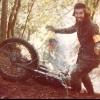
April 3, 200719 yr I've put a few pics up here: http://picasaweb.google.com/motomerlin/Wel...yClassicTrial07 Mainly from section 4, nothing spectacular though, as it was an easy day for most..
April 3, 200719 yr Were you riding? I was the good looking chap observing section 20, just before you changed punchcards. Errrrr........don't let the good looking bit confuse you - we got rid of all mirrors in our house 20 years ago
April 4, 200719 yr Results below courtesy of Kirsty - South Shropshire, and if I'm not mistaken, Atomants automated results thingymajig Welsh_Trophy_Trial.pdf


Join the conversation
You can post now and register later. If you have an account, sign in now to post with your account.