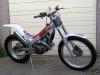
August 3, 200719 yr Hi I have what appears to be a mostly complete lighting kit for my tesa 315R. Only I ain't the best as far as wiring is concerned unless of course I have good instructions to follow. Anybody know a site where somebody has detailed how to do it with pictures? (ohh errr missus!) Cheers John Edited August 3, 200719 yr by cota315R
August 13, 200719 yr The connections will only plug into the right plugs I think, There is one 2 pin plug that will have a seperate kill switch if you haven't got the original switches on the bike allready. Then there is I think a black plug connected to a red plug which has the feed up to the switch, this needs to be split to plug in light switch and harness. Sound very complicated!!!!!! Isn't there anything in the manual? Failing all this give those good guys n dolls and Sandifords a ring.


Join the conversation
You can post now and register later. If you have an account, sign in now to post with your account.