January 18, 200818 yr I just receive from Japan my last (but not least?) RTL250S. This one with disc brakes. The 85-87 RTL with drumbrakes like the TLR200/250 are fitted with the 22mm carburetor from the early CB100. The other 88 RTL250S I have here has the same model in 24mm. But this bike came with a different carburetor KEIHIN type 63A YG which seems to be original. What is nice is the starter on the right hand side easy to handle. The frame number is RTL250SF-8810021 (matching engine) so must be older than the other RTL n
January 18, 200818 yr Can't help i'm afraid but just had to say how nice it looks. Always was, and always will be my dream bike!!
January 19, 200818 yr Definately not the original carb for that model of RTL250S, it's probably off a two-stroke trail bike! Big John
January 19, 200818 yr Could be a TLM carb, definately off a two stroke bike! Big John Try here for some tech advice! http://www.classictrial.co.uk/honda.html Edited January 19, 200818 yr by Big John
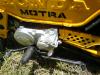
January 19, 200818 yr Author You were helpfull in reminding that my workshop is a mess to clean as soon as possible. The carburetor on the 88 TLR is indeed a 24 mm TLM Carburetor and I had already one of these carb. I broke a TLM a few months ago and following your answers had a look at the engine and saw that the carburetor was the same but not the inlet manifold. A deeper mystery is from witch bike are coming the inlet manifold and the tube to the air cleaner. These are fitted properly on the bike. On the right picture of the TLM's inlet manifold with 4 screws. Thanks for help.


Join the conversation
You can post now and register later. If you have an account, sign in now to post with your account.