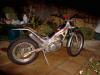
July 12, 200422 yr I'm trying to find out the year of a Montesa Cota 123 i'm lovingly restoring for my son to abuse the hell out of, projects nearly finished but I would like to know the year of it. Engine and frame no's are 32M00045. Any ideas will be appreciated. Cheers. Tried the Montesa web site but no help there.
July 12, 200422 yr try jeff bungay at MAINLY SPANISH M/CS on 01425-611287 he dated a montesa for me with engine no & frame no
July 12, 200422 yr try talking to jed bates at southwest Montesa,if anybody would know it would be him.he has a link on this site somewhere.
July 12, 200422 yr Try here. http://www.southwestmontesa.com/ And look at this too. http://www.usmontesa.com/html/photo_gallery.html And here! http://www.home.zonnet.nl/montesa.4t/index9.htm
July 12, 200422 yr Author Thanks for that i'll have a go at all of them and see how i get on...... Cheers.
July 12, 200422 yr Wohoo! looks like im not the only one to have a montesa 123.... I thinkThe montesa site is quite good at finding out the year, Did you try the Spanish verson the english version dosent have a section for the years of the model. Danny Edited July 12, 200422 yr by Trials Lad
July 13, 200422 yr Author Vintage cota if thats your bike I am well impressed, tried everywhere especially the spanish site but still can't find anywhere that lists 32M on the engine and frame no's. Suppose i'll just keep trying!!!!
July 13, 200422 yr Have you got a photo of it if you post it someone might be able to tell you wht year it by looking at it. Danny Edited July 13, 200422 yr by Trials Lad
July 14, 200422 yr I've found it. It's a 1981 Cota 80. Look here: http://www.geocities.com/cotamontesa/ Edited July 14, 200422 yr by vintageCota
July 14, 200422 yr Author Vintage cota, you are the man, now I know exactly what i'm dealing with. Thanks for your help on this matter..........


Join the conversation
You can post now and register later. If you have an account, sign in now to post with your account.