April 18, 200818 yr I have Heavyweight Cub Forks and standard cub front wheel, that has an axle that is clamped either side, it is not a very tight or secure system, any sugestions i.e. pull through axle any help Vinnie
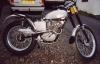
April 18, 200818 yr Hi Guy's Hi Vinnie, Is the front wheel spindle as long as the spacer tube that it sit's in, if not it is one from a road bike. The TR Cub's have a longer spindle that reaches the end of the tubes,and should clamp up tight. I made some new spacer tubes out of stainless that were just a fraction bigger in there diameter, and with a two hacksaw blade cut along the tubes length clamp up realy well. Hope this helps. Regard's Charlie. Edited April 18, 200818 yr by charlie prescott
April 29, 200818 yr Author Its the same lenght Charlie When they are clamped up there is still a bit of twisting Vinnie
April 29, 200818 yr yep sounds like you need a pair of spacers machined up drill out your stainless to a stiff slide onto your axle then turn down to over size to fit your fork legs and cut about a 2 mil gap so they nip up when assembled. other than that check out Andy Hesketh 07946025777 who i'm sure will happily let you have a pair for a reasonable amount..


Join the conversation
You can post now and register later. If you have an account, sign in now to post with your account.