May 2, 201016 yr Hello, Looking to make my Ossa clutch a little easier to pull. I have a Teflon cable. Just wondering if anyone has done anything with springs. Taking all suggestions. Thanks.
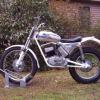
May 2, 201016 yr Extend the arm as far as it will go (1.5 inches maybe, can't remember) but you'll also need to relocate the lug where the outer cable locates to keep the cable straight. This is easy enough by using the existing locater lug to bolt a bracket to with a new locater to line up with the end of the arm. Lighter springs are available her in the UK but I found that under a severe caning in 2nd or 3rd gear on steep muddy climbs they could slip, even with the adjusting screws bottomed out, so I reverted to the original springs. Depends how hard you ride your bike. With less 'severe' usage they would be ok. My '75 350 MAR has the arm lengthened, Barnett plates, standard springs, adjusting screws are set so there are a few threads showing, they aren't bottomed out. I use a Venhill superlight cable. With this set up I get one finger clutch pull and the Barnett plates ensure it disengages every time. Engagement with the extended arm is fine, no problems. Basket is in good order, no rough edges etc. which helps smooth operation as well.


Join the conversation
You can post now and register later. If you have an account, sign in now to post with your account.