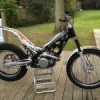
August 8, 201115 yr Hi having serviced the front forks, attention is turning to the rear Ohlins shock. Rebound damping adjuster (bottom of the shock)is set 20 clicks out from fully in. ---Anything more than 8 clicks out allows the suspension to "bounce" when it tops out. ---Fully in, the rebound isnt what anyone would call "slow". ---Anything more than 15 clicks out makes little difference. ---pressing hard on the "seat" (airbox cover) area shows the front and rear compress and return at the same time. so.... is this normal?, what have others set theirs too? and why? Dom Edited August 8, 201115 yr by dombush
August 9, 201115 yr Its mostly a matter of personal preference but from what you describe it sounds like the spring rates are matched front to rear but the shock itself could do with an overhaul, unless you're happy with it as it is? That's the good thing with the Ohlins,its fully rebuildable and a dose of fresh oil and a re-charge of gas will probably be all it needs and give it a new lease on life. Good time to renew the seals too. Not a DIY job though. Edited August 9, 201115 yr by Lowbrow
August 9, 201115 yr Time for a shock rebuild. Yes it is a DIY job but you have to have the right gear. Get it rebuilt is is easier. If you are tight on money don't do a full rebuild.


Join the conversation
You can post now and register later. If you have an account, sign in now to post with your account.