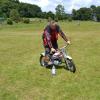
August 18, 201115 yr Newbie on board, been on dirt and mud all my life but allways been on enduro and motorcross, old age is setting in 37 lol so i've decided to slow down a bit and get a trials bike, only spent a few hundred on a aprilia climber 280 to get me started, if i get to like it which i think i will i get a newer one next year any advice will be gratefully received, because if i got out for twenty mins im knackered lol
August 18, 201115 yr Knackerd - not surprised with a 280 Climber! Make sure you've got a slow throttle tube on and may be worth a head gasket or two to take the edge off, but just try and ride relaxed and enjoy.
August 18, 201115 yr Knackerd - not surprised with a 280 Climber! Make sure you've got a slow throttle tube on and may be worth a head gasket or two to take the edge off, but just try and ride relaxed and enjoy. Good advice indeed !


Join the conversation
You can post now and register later. If you have an account, sign in now to post with your account.