Skip to content
View in the app

A better way to browse. Learn more.

Trials Central

A full-screen app on your home screen with push notifications, badges and more.

To install this app on iOS and iPadOS
  1. Tap the Share icon in Safari
  2. Scroll the menu and tap Add to Home Screen.
  3. Tap Add in the top-right corner.
To install this app on Android
  1. Tap the 3-dot menu (⋮) in the top-right corner of the browser.
  2. Tap Add to Home screen or Install app.
  3. Confirm by tapping Install.

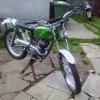
A Peek At My Brothers C15t Shush Don't Tell Him :p

Featured Replies

here's a pic off my bros c15, minus the blue bin and the washing but its the only shot i could get so he didn't see he lol hes fussy

toms C15

Nice, is it an accident the bike and bin are the same blue, did he have a bit left over from painting the bin or was the bin his inspiration?

  • Author

haha i am not to sure, he just likes blue the bike is a different colour every year, but the bin may off been his inspiration??? il have to ask :P

Hope he modifies the throttle cable routing or it could be quite entertaining when he snags it!

  • Author

yeah me too, he is just doing bit by bit waiting for the sun to come out so we can go playing :P

Join the conversation

You can post now and register later. If you have an account, sign in now to post with your account.

Guest
Reply to this topic...

Account

Navigation

Search

Search

Configure browser push notifications

Chrome (Android)
  1. Tap the lock icon next to the address bar.
  2. Tap Permissions → Notifications.
  3. Adjust your preference.
Chrome (Desktop)
  1. Click the padlock icon in the address bar.
  2. Select Site settings.
  3. Find Notifications and adjust your preference.