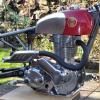
March 23, 201214 yr Welcome John Thats one lightweight Ariel you got there? Pretty sure though in the rules you need wheels
March 23, 201214 yr Welcome to the forum,I was very tempted by your products when I spoke to you at Telford - they look very smart,maybe a bit later on when more cash finds its way to me......
March 24, 201214 yr Hi John. Glad you got around to joining the club. Perhaps we can now get "Ariels" back to where they belong, to the fore front of the Classic Trials Bike scene. I have two of your frames, one with oil in, and one without. One is being built in the North, and one is sat on my workbench awaiting time for me to work on it. I am sure a lot of guy's on here will me more than pleased that you are now part of the comunity. Regards Charlie.


Join the conversation
You can post now and register later. If you have an account, sign in now to post with your account.