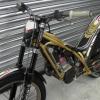
March 30, 201214 yr As the title says mine have bust on my 2010 300 raga fitted with Marzocchi forks, can anyone give me any tips , or the order in which to perform said task.....Can the action be performed in garage / shed or is it a visit to local trials shop ? with my wallet.. Just been quoted £70 for the pair if i take the forks in not the bike.
March 31, 201214 yr If you go on youtube and search for Gas Gas fork seals theres a video on there of a Gas Gas mechanic (Jim Snell) who shows you step by step with instructions how to take out the old fork seals and put new fork seals in. Its not a hard job to do and doesn't take long so aslong as your handy with a spanner and have the fork oil you should be orite to do them yourself and save yourself some dosh
March 31, 201214 yr Author Cheers for that, but on you tube gas gas fork seals it says not for Marzocchi forks so are these different inside or components ?
April 1, 201214 yr Just had a look at the videos myself and hadnt realised that they were for the old style forks not the new marzocchi forks as i used the video to do the forks on my previous bike. Im currently searching for a video or instructions on how to do the marzocchis myself so will let you know if i find anything


Join the conversation
You can post now and register later. If you have an account, sign in now to post with your account.