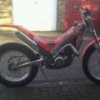
December 17, 201213 yr Hi new to trials done most things on two wheels but always with to much speed so thought id have a go at slowing it down a bit . im in essex and hoping to ride poles wood as soon as my application comes back got my self a gas gas jtx250 97 but very tidy one little quibble the stop clock did not work had a butchers this afternoon only to find it not plugged in lol i have looked all over cannot find were it plugs in any ideas ?
December 18, 201213 yr Hi, my nephew has a '97 JTX 250.I've been practicing on it ( my first go a trials too ) and it's very addictive! I'll have a look at the stopclock when i get a chance.I'm sure you're going to love it.
December 18, 201213 yr Hi fingers and welcome to Trials. Assuming you mean the clock on the tank cover, it needs a battery, I think it was the same as a door bell button, about the size of a penny. I think the wires are to make the speedo work, but not sure where they go, but probably to the cdi. TLTEL
December 18, 201213 yr Funnily enough i was out in the shed when that last post was added.Took the tank cover off to find the wires have been cut off! The actual clock is still working though.If you unscrew the three screws holding the clock cover and remove the clock there is a battery access cover screwed in.As for the wires i'd post the same question on the Gas Gas forum.


Join the conversation
You can post now and register later. If you have an account, sign in now to post with your account.