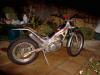
July 24, 200521 yr popped the forks seals on my aprilla climber today and decided to strip the forks down to replace the seals, how do they come apart on the adjuster side. the other side i had no problems with. another quick question how much fork oil do i use????? all help gratefully received. thank you.
July 24, 200521 yr Author just checked out some old posts and found i need 260cc of oil for the forks...........
July 24, 200521 yr Thats a job I've gotta do, on my dads Aprilia, when I'm next back in UK richy, so I;ll be watching this post with interest!!!.....some pics, (if possible) would be great. Wish they hadnt used usd ones. Apparently there are 2 seals in each leg?...ammount of oil is the same info that I have, so that is correct hopefully. GOOD LUCK...and remember to take some pics of any problem bits if you have time
July 25, 200521 yr Author No worries Stu, as soon as i find out and strip them i'll let you know. the side without the adjuster is easy.
July 25, 200521 yr Author fork details to download Here you go then Stu after hours trawling the internet i found this gem via an american forum for mx bikes. Hope this helps. Stevens trials has the parts on the shelf as well if you need them............ Richy
July 25, 200521 yr Aww..thanks Richy..thats great..will also have to give Stevens a call soon...sounds like they've got a good few bits for the Gorilia tried to PM you but didnt work, will try again soon


Join the conversation
You can post now and register later. If you have an account, sign in now to post with your account.