Skip to content
View in the app

A better way to browse. Learn more.

Trials Central

A full-screen app on your home screen with push notifications, badges and more.

To install this app on iOS and iPadOS
  1. Tap the Share icon in Safari
  2. Scroll the menu and tap Add to Home Screen.
  3. Tap Add in the top-right corner.
To install this app on Android
  1. Tap the 3-dot menu (⋮) in the top-right corner of the browser.
  2. Tap Add to Home screen or Install app.
  3. Confirm by tapping Install.

Btc June 2014

Featured Replies

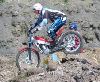
Some amateur pics I took of the British Championship event at Low Row, last Sunday

Nice setting, for a Trial

IMG_3021_zpsa1c21f52.jpg

IMG_3034_zps8f03a877.jpg

Section 3

IMG_3036_zps97297c69.jpg

IMG_3039_zps4bdc8f55.jpg

IMG_3047_zps22d77032.jpg

IMG_3048_zps131bec6c.jpg

IMG_3049_zpsed19115e.jpg

IMG_3050_zps116c1d1f.jpg

IMG_3054_zps453aad60.jpg

IMG_3055_zpsbffba3b8.jpg

IMG_3056_zps77e068a9.jpg

Join the conversation

You can post now and register later. If you have an account, sign in now to post with your account.

Guest
Reply to this topic...

Account

Navigation

Search

Search

Configure browser push notifications

Chrome (Android)
  1. Tap the lock icon next to the address bar.
  2. Tap Permissions → Notifications.
  3. Adjust your preference.
Chrome (Desktop)
  1. Click the padlock icon in the address bar.
  2. Select Site settings.
  3. Find Notifications and adjust your preference.