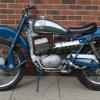
June 28, 201412 yr Just a quick hi to all, after years of enduro I fancied a change of pace so I took the plunge and got my self a trials bike, its been about 20 yr since I last rode a trial so I just hope it all comes flooding back as ill be going in at the deep end tomorrow and having a go at my first trial at bracken rock Andy
June 28, 201412 yr Author You'll be able to spot me I'll be the one walking the sections twice Edited June 28, 201412 yr by hulmie
June 29, 201412 yr Author Thanks fella ill need it, ive not been this nervous before an event for years
June 29, 201412 yr Author Not to good, had engine trouble right from the start had no power what so ever so dont know whats gone on, had a go for a lap but had to retire as it would hardly get through the sections, will get it stripped and find out whats goin on with it, but I will be back for another go soon


Join the conversation
You can post now and register later. If you have an account, sign in now to post with your account.