December 29, 201411 yr You'll need a bit of audio to appreciate the video. Edited December 29, 201411 yr by ourian
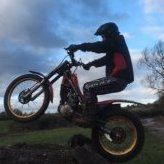
December 29, 201411 yr I was at this trial too, first lap i nearly ran over some white flags was hard to see them in certain places! I guess you was the one on a yamaha (?) with the blue and black helmet cam? Edited December 29, 201411 yr by iridebikes
December 29, 201411 yr hahaha - always walk a section before riding it. Man I wish we could get some snow here on the east coast of Canada, it was 15C on Christmas .
December 29, 201411 yr Author I was at this trial too, first lap i nearly ran over some white flags was hard to see them in certain places! I guess you was the one on a yamaha (?) with the blue and black helmet cam? Yes that was me, am still editing will post some more soon.


Join the conversation
You can post now and register later. If you have an account, sign in now to post with your account.