Skip to content
View in the app

A better way to browse. Learn more.

Trials Central

A full-screen app on your home screen with push notifications, badges and more.

To install this app on iOS and iPadOS
  1. Tap the Share icon in Safari
  2. Scroll the menu and tap Add to Home Screen.
  3. Tap Add in the top-right corner.
To install this app on Android
  1. Tap the 3-dot menu (⋮) in the top-right corner of the browser.
  2. Tap Add to Home screen or Install app.
  3. Confirm by tapping Install.

Cota 315R Black Tank Decal?

Featured Replies

Hi Guys,

I am looking into buying a Montesa 315r (My frist Montesa!!!) and was wondering where to get the (black gas tank look) the bike im thinking of buying is red but looks a bit rough on the plastics so a make over is due, its eazy getting front and rear mudguards but not many items for the gas tank?

Any help will be greatly appreciated!

  • 1 month later...

Hi,

I was reading some of the older threads and see you had no replies yet.

Did you get your 315 and get it sorted?

When I got mine it was also red and quite wethered, so I changed it to the black look.

The rear mudguard was easy to get, I then bought a secondhand tank and resprayed it, the front mudguard is a beta.

Great bikes, hope your enjoying yours

Cheers

Shaun

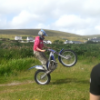
post-17832-0-26375200-1428312723_thumb.jpg

Join the conversation

You can post now and register later. If you have an account, sign in now to post with your account.

Guest
Reply to this topic...

Account

Navigation

Search

Search

Configure browser push notifications

Chrome (Android)
  1. Tap the lock icon next to the address bar.
  2. Tap Permissions → Notifications.
  3. Adjust your preference.
Chrome (Desktop)
  1. Click the padlock icon in the address bar.
  2. Select Site settings.
  3. Find Notifications and adjust your preference.