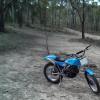
November 8, 201510 yr Hello all. I'm another old fart that's new to trials, though I've been riding for over 40 years. About two years ago I got interested in learning trials riding and as I've always had Bullys decided to buy a M199 that was being sold by a lovely bloke from Queensland. Selling the bike was obviously pretty tough for him; before he would sell to me I had to prove to him that I knew Buls and would appreciate it and look after it. Anyhow, I bought it and set about laying out some practice sections at the nearby forest where me, my son and grandson all ride. What an eye opener! I can honestly say I've never had so much fun on a bike; my only regret being that I didn't discover this earlier. I've never really been a talented rider but still it's been satisfying to build up some basic skills over time and I was surprised at how much more confident and in control I feel now on a MX or road bike as a result. But skilled or not I'm having a ball and look forward to competing soon. Here are my two Bullys; yes I know the bottom one isn't a trials bike but I'm sure there are some fellow Bul fans here that might be interested.


Join the conversation
You can post now and register later. If you have an account, sign in now to post with your account.