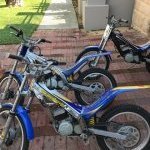
June 20, 20179 yr Hi All, hoping someone can help me out with this one. My sons Sherco 50 2005 model won't start. At a trail on th e weekend and half way through a section it spluttered and gave out! Things I know: the carby has been stripped and rebuilt and tested on another Sherco 50 and is working fine. I'm getting spark and fuel and compression is good from what I can feel when it's kicked. Any suggestions or anyone had a similar issue? Rich
June 21, 20179 yr Author Thanks for that, I'm going to get it looked at as I don't have the tools/skill to check that out. Hopefully parts are easy to find!
June 21, 20179 yr Author Turns out it was a damaged plug. All the cleaning in the world wouldn't have got it going! Slight crack on the tip of the plug, never seen anything like it!


Join the conversation
You can post now and register later. If you have an account, sign in now to post with your account.